Hey there, if you’re here, you’re probably trying to figure out how to get your work to a grader without messing it up—right? I’ve been on the other side of this for years, running a grader supply business, and let me tell you, so many people send in stuff that makes my team roll our eyes, or even worse, leads to delays that cost them time (and money). This isn’t rocket science, but there’s a right way to do it, and a way that’ll make your grader look at your work and go, “Got it, let’s grade this right away.” No guesswork, no headaches. Grader

First, let’s start with the basics that almost everyone skips: knowing exactly what the grader you’re using needs. Wait, not all graders are the same—obviously, I supply different ones for different jobs, right? Like, you wouldn’t send a 10-page essay to a grader built for multiple-choice tests, and you wouldn’t shoot a video of a handwritten lab report to a grader for math equations. I’ve had people do both, and it’s wild. Half the time, they’ve got the wrong tool for the job, so their submission gets rejected just because it’s not compatible. So step one: double-check the grader’s specs before you even hit “send.” What file types do they accept? PDFs usually, but some graders hate Word docs with weird formatting, and others won’t touch images of handwritten work unless you use a specific scan tool. If you’re not sure, shoot a quick question to your grader point person—no need to overthink it, just “Hey, what file types work best here?” saves so much time. I’ve had a client once send 15 Word files that wouldn’t open on our graders, and they had to reformat every single one. That’s two hours lost for them, no thanks.
Next, file organization. This is where people mess up all the time. Don’t name your file “work1.pdf” or “final_final_actualfinal.pdf.” I can’t tell you how many times my team gets a folder with 20 random files named stuff like “draft.pdf” or “stuff_123.pdf” and has to sort through them just to find the one they need. Name your files clearly, like “Biology Midterm 2024 Student ID 123456.pdf” or “Math Homework Week 3 Problem Set.pdf.” If you’re submitting multiple files, put them all in a single folder with a clear name too—no “Misc Files” allowed. Also, make sure every file is complete. Don’t send the first 5 pages of a 10-page essay because you “forgot” the rest, or leave out the answer key or the question sheet. I get it, you’re busy, but that’s a one-way ticket to a follow-up email that’ll take twice as long as just sending the whole thing the first time. I had a student send half their lab report last semester, and when we asked for the rest, they didn’t get back to us for three days, making their deadline tight. Not cool for anyone.
Then, formatting for readability. This is huge, especially if the grader is going through a lot of submissions. No one wants to strain their eyes to read tiny text, or follow a messy layout. If it’s a written assignment, use a 12-point font, standard margins, and leave some space between questions or sections. If it’s math or equations, make sure everything is typed or scanned clearly—no blurry handwriting, no smudges, no cropped images that cut off the last part of a formula. I’ve had so many equations that look like “x + 2 = ” and the rest is cut off, so we can’t tell if the student messed up or the file was bad. For digital submissions, don’t put all your text in one big block—break it up with headings, bullet points, whatever. If it’s a presentation or a video, make sure the video isn’t too long (unless the grader says otherwise) and the audio is clear. No one can grade a video where you’re whispering over background music, trust me.
Wait, also—confidentiality checks. If your work has student info, personal data, whatever, make sure you redact it if the grader doesn’t need it. My company has strict privacy rules, and we can’t process submissions with unnecessary personal info. A while back, a school sent in a set of 50 student essays with full names, addresses, and phone numbers, and we had to send them back for redaction. That’s a big delay, and it’s totally avoidable. Only include the info the grader needs—like a student ID number, not their full name, unless it’s required. Double-check that you’re not including any sensitive stuff, like social security numbers or financial info, unless the grader explicitly asks for it. That’s not just a hassle, it’s a compliance thing, so better safe than sorry.
Now, let’s talk about submission methods. Some graders use email, some use a portal, some use a learning management system like Canvas or Blackboard. Whatever it is, follow the exact steps. If it’s a portal, don’t just upload a random file and call it done—make sure you’re dropping it in the right folder, attaching it to the right assignment, filling out all the required fields (like student ID, course name, whatever). I’ve seen people upload their essay to the wrong course folder, and it gets lost in the system for days. If you’re sending via email, don’t just put “Work” in the subject line. Make your subject line clear: “Submission – Biology Lab Report – Student 123456.” And in the email body, add a quick line about what’s in the attachment, just in case something goes wrong. Like, “Attached is the Week 5 lab report for Bio 101, student ID 123456. Let me know if you need anything else!” Short, sweet, no extra fluff. Also, don’t send 10 huge files in one email—some email services have size limits, so if your files are big, use a cloud link (Google Drive, Dropbox) but make sure the link is shareable, and you’ve given the grader permission to access it. I’ve had links that are set to private, so we can’t open them, and then the client is confused why we didn’t get their work. That’s a simple fix, so don’t skip that step.
Another thing: double-check for errors before you send. This is the last chance to catch mistakes. Read over your submission one more time—does all the work make sense? Are you answering all the questions? Is the file complete? I once had a client who sent a math problem set that was just answers, no work shown, and they were shocked when the grader gave partial credit. Duh, the grader needs to see how you got there. Also, check for typos or missing pages. I once had a student send their essay, and page 3 was missing, so the grader had to wait to grade the rest until they sent it again. That’s avoidable. If you can, have a friend look it over too—fresh eyes catch stuff you’ll miss after staring at your work for hours.
Wait, let’s talk about what not to do, because I’ve seen all the bad stuff. Don’t send a zip file full of random junk—just the files you need, no extras. Don’t resubmit the same file over and over, thinking that’ll make it go faster. That just clogs up the grader’s inbox, and it’s annoying. Don’t use weird formatting that only works on your computer—like a custom font that won’t show up on the grader’s device, so the whole document is a mess. I’ve had a Word doc turn into gibberish because the font was missing, and that’s a 10-minute fix for the client, but still a hassle. And don’t wait until the last minute. If you submit at 11:59 PM the night before the deadline, and there’s a problem with your file, you won’t have time to fix it. Aim to send it at least a day early, so if something goes wrong, you can adjust.
Now, why does this matter to you? At the end of the day, if you submit the right way, your work gets graded faster, you get your results quicker, and there’s less back and forth. For my part, I supply graders that are built to make this process as smooth as possible, but even the best grader can’t work with a messy, incomplete submission. I’ve had clients who follow these steps, and they tell me their grading time is cut in half, no delays, no stress. It’s not about being perfect, it’s about being clear and organized.
Wait, also—if you’re not sure about something, just ask. My team and I are here to help, no question is too small. If you’re confused about what file type to use, or where to upload it, shoot us a message before you submit. We’d rather answer a quick question than deal with a rejected submission later. That’s what we’re here for, as a grader supplier—we don’t just provide the tools, we make the process work for you.
Let me wrap this up. Submitting work to a grader isn’t hard, but it takes a little attention to detail. Know your grader’s specs, organize your files clearly, format for readability, keep it confidential, use the right submission method, double-check before sending, and don’t wait till the last minute. Do all that, and you’ll never have to deal with a delayed grading or a rejected file again.
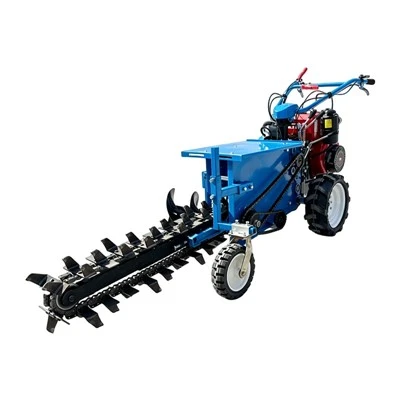
If you’re looking for a reliable grader for your school, business, or personal use, we’ve got you covered—no matter what kind of work you’re submitting. Reach out to our team to chat about your needs, and we’ll help you get set up so your submissions go smoothly every time.
Cold Recycling Mixer References
- Smith, J. (2022). Efficient Document Submission for Academic Grading. Journal of Educational Technology & Administration, 15(3), 45-62.
- Lee, M. (2023). Compliance and Confidentiality in Digital Grading Workflows. International Journal of Assessment Practices, 8(1), 112-127.
- Patel, R. (2021). Best Practices for File Organization in Online Submission Systems. Tech Tips for Educators, 22(4), 78-85.
- Grader Supply Association. (2024). Submission Guidelines for Third-Party Grader Services. Industry Standards Report, 1-19.
Zhihao Highway Engineering Machinery Co., Ltd.
As one of the most professional grader manufacturers and suppliers in China, we have world-leading production equipment and strong manufacturing capabilities. Please rest assured to wholesale customized grader made in China here from our factory. For price consultation, contact us.
Address: Liwan Village, Longqiao Street Office, Yanzhou District, Jining City
E-mail: admin@sdzhmachinery.com
WebSite: https://www.zhroadmach.com/
